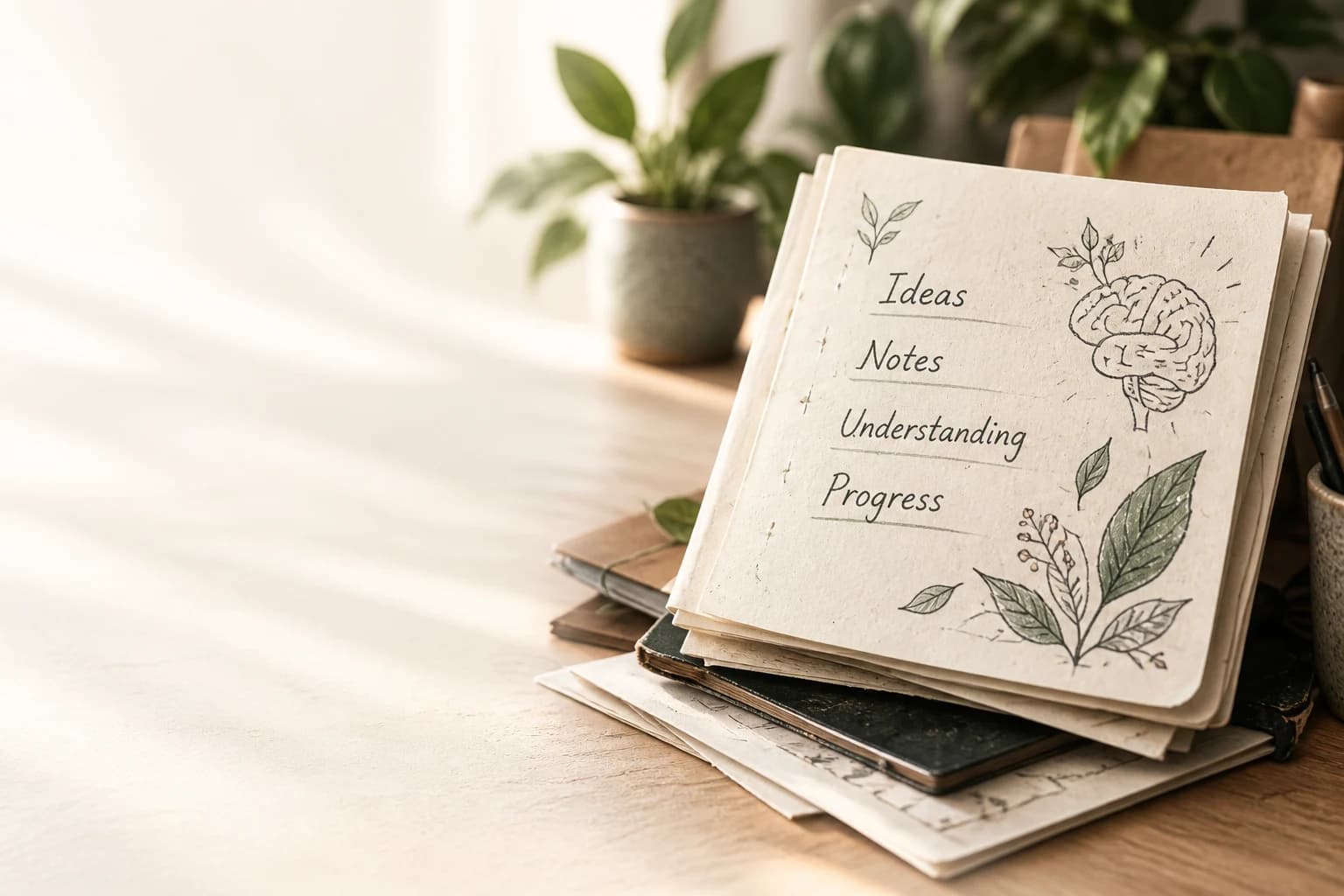
Turn videos and PDFs
into notes that
make sense.
Create visual study notes from YouTube videos and PDFs. Or let Papyr’s learning agent research your goal, gather relevant materials, and build a personal path.
Build my learning pathway to learn.❧
Give your agent a destination.
Make the journey your own.
A certification, a difficult subject, or an idea you can’t stop thinking about. Start with what you want to understand.
“AWS SAA-C03 in 8 weeks”Your learning agent researches requirements, checks your starting point, and brings relevant sources into one plan.
A longer path.
A brighter you.
See where you’re going, what comes first, and how each milestone connects. Your next step always has a place.
Find your starting pointSee the idea.
Return to what matters.
Turn a dense PDF or paper into visual notes or editable study pages. Follow a process, compare ideas, and keep the source close when you review.
Turn a PDF into notes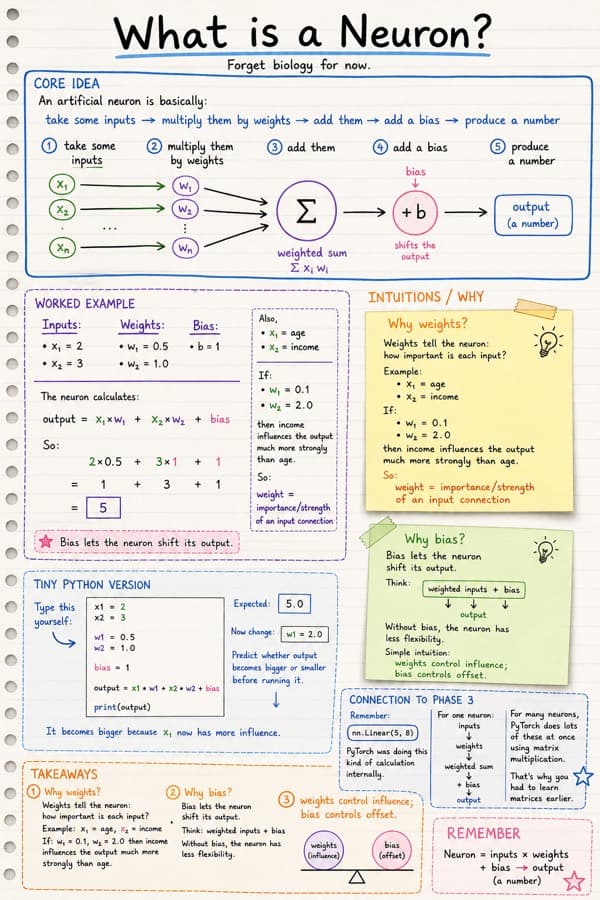
Let Papyr watch.
Keep the useful parts.
Turn a YouTube lecture into study material you can revisit. Choose video analysis with Gemini to capture spoken explanations and visible boards or demos, or import the captions.
Then create visual notes or editable study pages. Export supported notes as PDF or PNG, and keep them with your learning path.
Make notes from a video See how video-to-notes works →Captions import is free when available. Video analysis and note generation have separate credit or API costs; export options depend on the note type and plan.A little example · explore the process
A lecture has a lot to say.
“Inputs are multiplied by weights. Add a bias, then apply an activation function…”
Spoken explanations, diagrams and worked examples.Illustration only. Import and generation happen in your workspace.
Small steps leave a mark.
Pick up where you left off. Return to the ideas you’ve explored. Watch your notes become a library that feels like yours.
Bring a PDF, arXiv paper, YouTube video, lecture, slides, or your own notes.The shelves
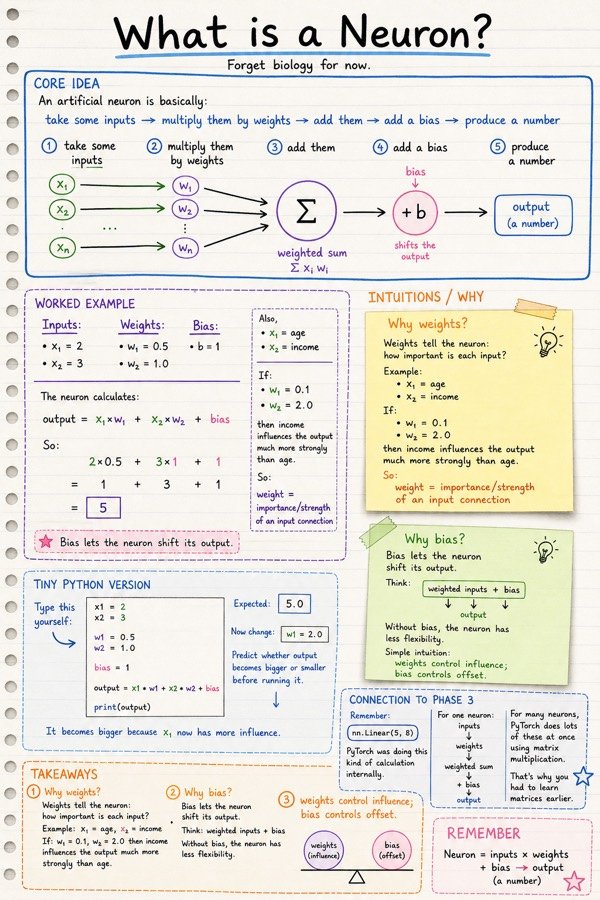
Real pages. Unedited.
Sketchnotes made from arXiv papers and technical notes, with a biology page in the mix. Tap one to read it at full size.
yours could be lecture notes, a PDF, anything
bring your own material, and make a page worth keeping
Before you ask
Questions, answered.
Anything else? Care reads every message, usually the same day.
Can Papyr watch a YouTube video and make notes?
Yes. In Manual Notes, choose Watch with Gemini for video analysis, or Captions only for subtitle import. Video milestones in a learning path also open this choice. After import, generate visual notes or editable study pages and use supported PDF or PNG exports. Video analysis and note generation are separate steps and may use credits or your own API keys. Check important details against the original video.
What is Papyr?
Papyr is a learning workspace for personalized paths, source-based study pages, visual notes and practice. Create a free account to keep your learning paths and library together. Generated explanations should be checked against their sources.
Can Papyr turn a PDF or arXiv paper into study notes?
Yes. Paste an arXiv or article URL, or upload a PDF. Papyr can generate sketchnotes or a multi-page explain book that walks through the document section by section.
Do I need an OpenAI API key?
Free includes 5 editable structured pages per month after sign-in. New accounts get 2 free Papyr credits for sketchnotes (or study tools). Learner and Pro include a monthly credit pool for sketchnotes, Ask, flashcards, and audio. With your own OpenAI key, supported features use provider billing instead of Papyr credits. Rate limits still apply; video analysis uses a separate Gemini key or Papyr credits.
Who is Papyr for?
Anyone learning: students, researchers, professionals, and lifelong learners. There is no age gate. If you want to remember dense material visually, Papyr is built for you.
Start tonight
Your next chapter starts with a goal.
Bring your curiosity. Find your first step, keep what you learn, and build something that stays with you.
a more human way to learn.